
Tweens and auto-key
A tween is a state; the change goes where the playhead is
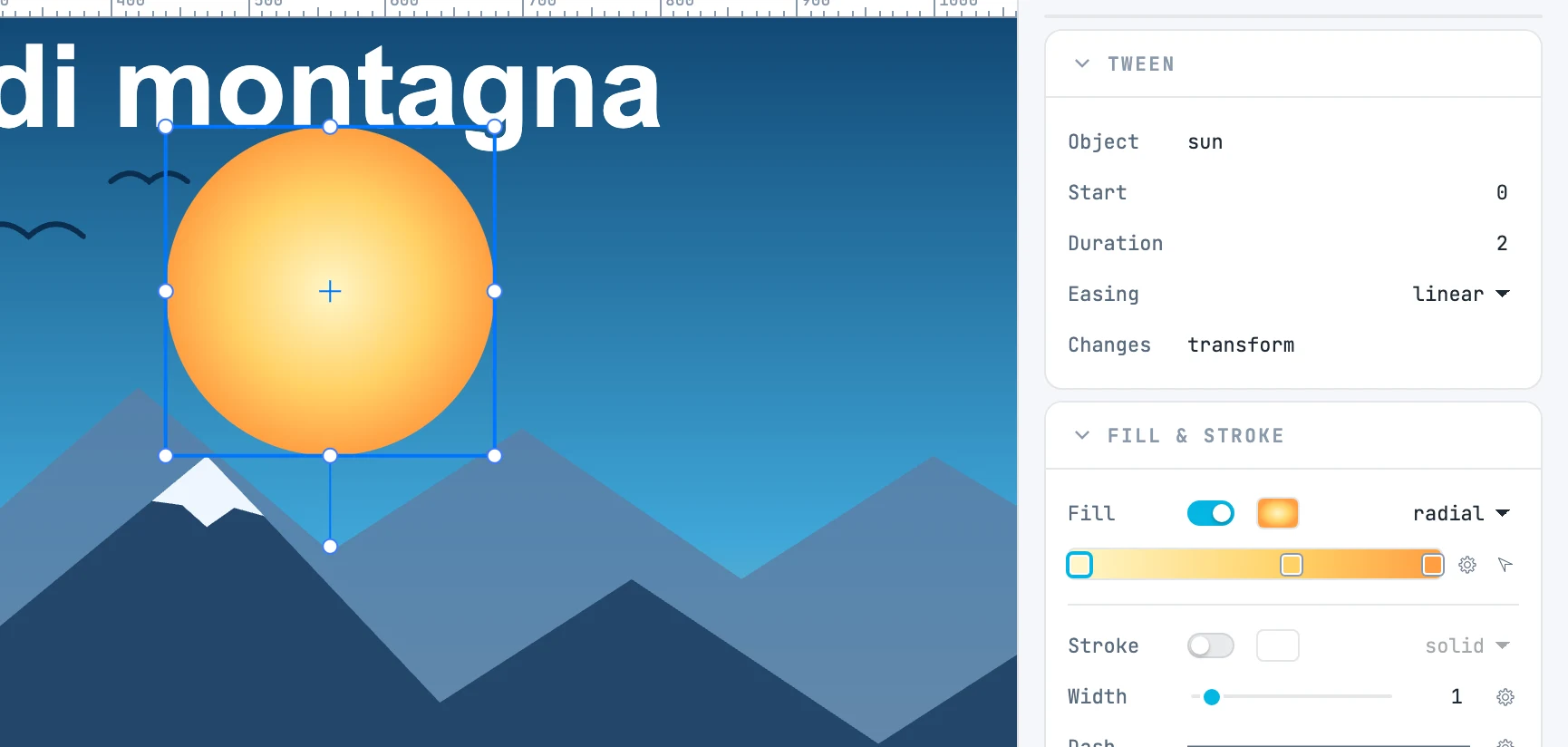
What a tween carries
| Field | What it does |
|---|---|
| Object | the object it animates |
| Start / Duration | when it starts and how long it lasts, in seconds |
| Easing | how it runs from start to end |
| Changes | the properties it changes, with the end values: any property, motion included |
The start value is not written: it is the value the object has when the tween starts.
How it is displayed
- For each property, in order of start: finished tweens apply their end value, the one in progress interpolates.
- Numbers, colors and matrices interpolate. A matrix interpolates by components around the object's center: the center moves in a straight line, rotation, scale and skew linearly; rotation takes the shortest way — more than 180° in a single tween is not possible.
- A value that does not interpolate — from a gradient to a color, from
noneto a color, a pattern — changes at the start of the tween, and holds for its whole duration. - An object that has tweens is on stage only while one of its tweens, or one of a resource it uses, is present: outside that, it is neither drawn nor selectable. An object without tweens is always there.
- With the footer closed, the canvas shows the objects as they are in the document.
- The panels follow the playhead: they show the values at that time.
Auto-key
With the playhead at a time other than zero, changing an object — moving, scaling, rotating or coloring it, any panel — writes a keyframe instead of changing the object:
- what interpolates arrives at the playhead time: in the tween that ends there, or the tween the playhead falls in is split, or a tween is created from the previous keyframe;
- what does not interpolate holds from there on: in the tween that starts there, or the one it falls in is split, or a tween is created up to the next change or to the end of the timeline;
- for a value that does not interpolate on an object that had no tweens, an empty tween from zero to the playhead is also created, so that the object stays on stage;
- at zero the change goes to the object, as without a timeline.
All of it in the same undo step as the change. An animated object does not write the scale into its dimensions: it keeps it in the matrix.
The tween being edited
When you click a tween's bar, the tween is being edited: its object is selected, and the playhead goes to its end (unless it is already inside). Then it depends on where the playhead is:
| Playhead | The change goes… |
|---|---|
| inside the tween, end included | into the end value of that tween |
| at its start | to the previous state (to the object, if the tween starts at zero) |
| outside | to the usual auto-key, at that time |
Moving the playhead by hand on the ruler or with the end handle closes the tween being edited. With a tween being edited, ⌫ deletes that tween, not the object, and ⌘ D duplicates the object with its tween.
Animating resources
Gradients, color stops, patterns (offset, rotation, scale), filters and the content of symbols and patterns are also animated with auto-key: with the playhead at a time, you change the resource — from the panel, on the canvas, or by entering it — and the tween is created in the timeline of the resource or of the container. An object and the resources it uses are a single animation: they count together for presence on stage and for the previous keyframe.
Duplicating and deleting
- Duplicating an object duplicates its tweens, which point to the copy.
- Deleting an object removes its tweens.
- When you save and reopen, tweens find their objects again.