
Timeline
The panel in the footer
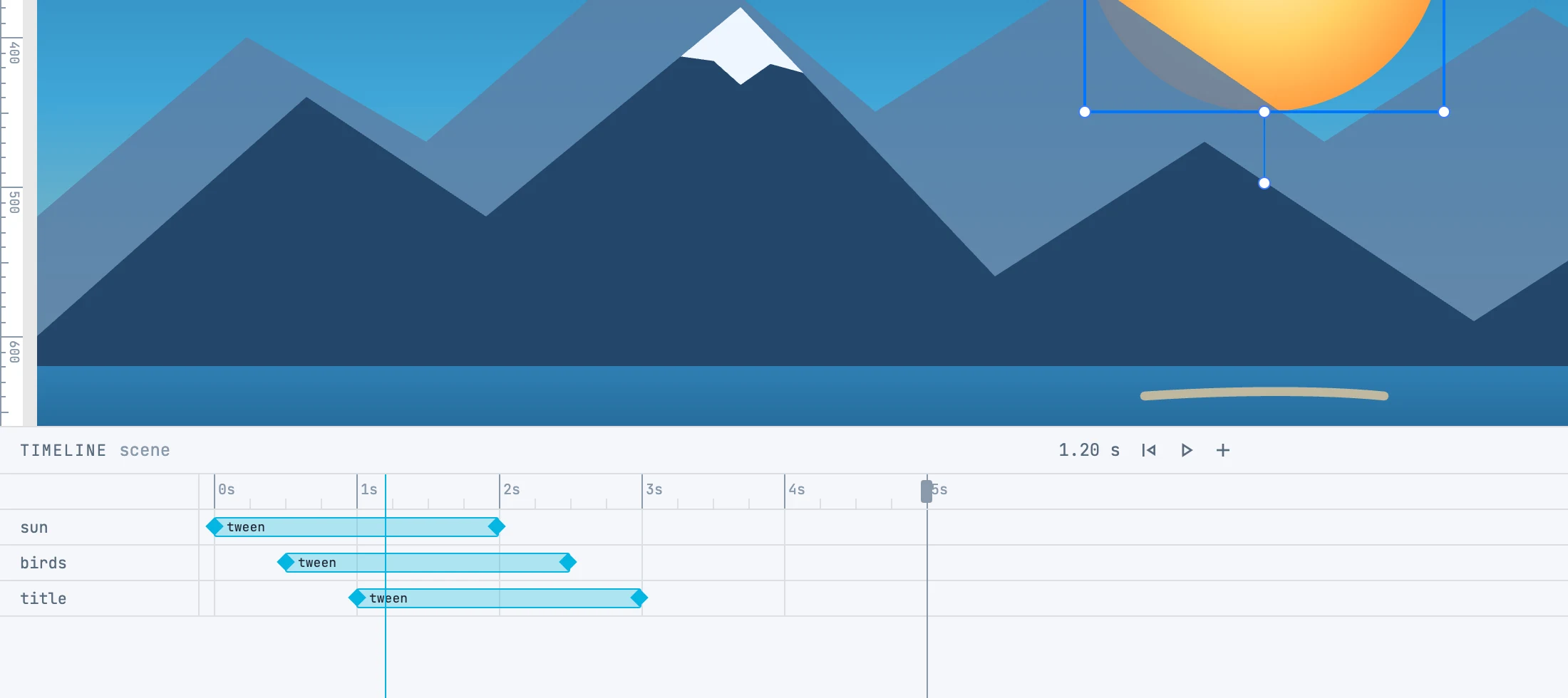
One timeline per container
Every page and every group can have its own timeline, as in Flash; so can patterns, symbols and markers, which you enter from their panel. The panel shows the timeline of the container you are working in: the parent of the selected object, the open container, or the active page. The timeline is created automatically with the first tween, 5 seconds long, and extends by whole seconds if a tween ends beyond it.
The header
| Element | What it does |
|---|---|
| Name and time | the container, and the playhead time |
| go to start | the playhead to zero |
| play / stop | plays and stops |
| + | adds an empty tween to the selected objects, at the playhead, 2 seconds long |
| Slider | the track zoom, from 10 to 1000 pixels per second; also ⌘ + scroll wheel on the track, keeping the second under the pointer fixed |
| × | closes the footer: the canvas goes back to the objects as they are in the document |
Rows, bars and diamonds
- One row per object; the label selects the object. Overlapping tweens go into another lane of the row, which grows taller.
- Each tween is a bar from when it starts to when it ends, with diamonds at the ends: they are the keyframes.
- The diamond under the playhead lights up orange: it is the one that moving the object rewrites.
- The bar shows the properties it changes, and takes the color of the first one: motion, color, opacity, or size for everything else; an empty tween is motion.
| Gesture | What it does |
|---|---|
| Click a bar | selects the tween: see Tweens and auto-key |
| Drag a bar | moves the start |
| Drag a diamond | moves that end, that is the start or the duration |
| ⌥ + drag a bar | duplicates it: the original stays, and the copy is created on release |
| ⇧ or ⌘ + click a bar | adds it to or removes it from the selection |
| Click a diamond | selects the tween and moves the playhead there |
Bars move in steps of one thirtieth of a second, and a tween lasts at least that long. Each gesture is one undo step.
Several tweens together
With two or more tweens selected, a yellow bar appears on the ruler from the earliest start to the latest end: the handles at its ends scale starts and durations around the opposite end, and dragging the bar moves them all. One step.