
Array panel
With an array selected
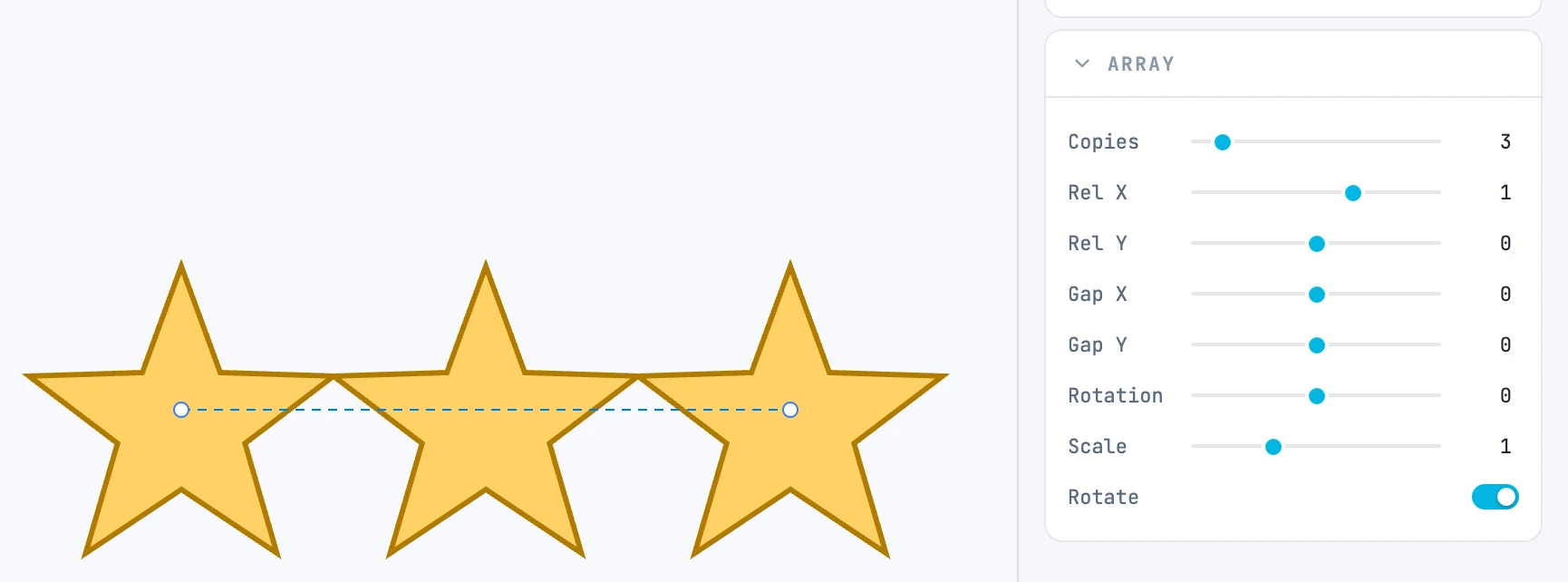
When it appears
With an array selected. The header tells you the mode: Array, Radial array, Path array.
Fields
| Field | What it does |
|---|---|
| Copies | how many copies, from 1 (the slider goes up to 24, the box beyond) |
| Rel X / Rel Y | linear: offset per copy in multiples of the source |
| Gap X / Gap Y | linear: extra offset, in units of measure |
| Radius | radial: the distance from the center of the circle |
| Direction | radial: the direction of the center of the circle |
| Step | radial: the angle between two copies |
| Rotation | linear and on a path: extra rotation per copy |
| Scale | scale per copy |
| Rotate | the copies rotate; when off they stay upright |
| Follow | on a path: the copies follow the direction of the guide path |
Which rows
| Mode | Rows |
|---|---|
| linear | Copies, Rel X, Rel Y, Gap X, Gap Y, Rotation, Rotate, Scale |
| radial | Copies, Radius, Direction, Step, Rotate, Scale |
| on a path | Copies, Follow, Rotation, Scale |