
Array
In a row, around a center, along a path
The three modes
Right-click menu › Modifiers › Array, Radial array or Path array:
| Item | Requires | The copies |
|---|---|---|
| Array | something selected | in a row: each copy is the previous one moved, rotated and scaled |
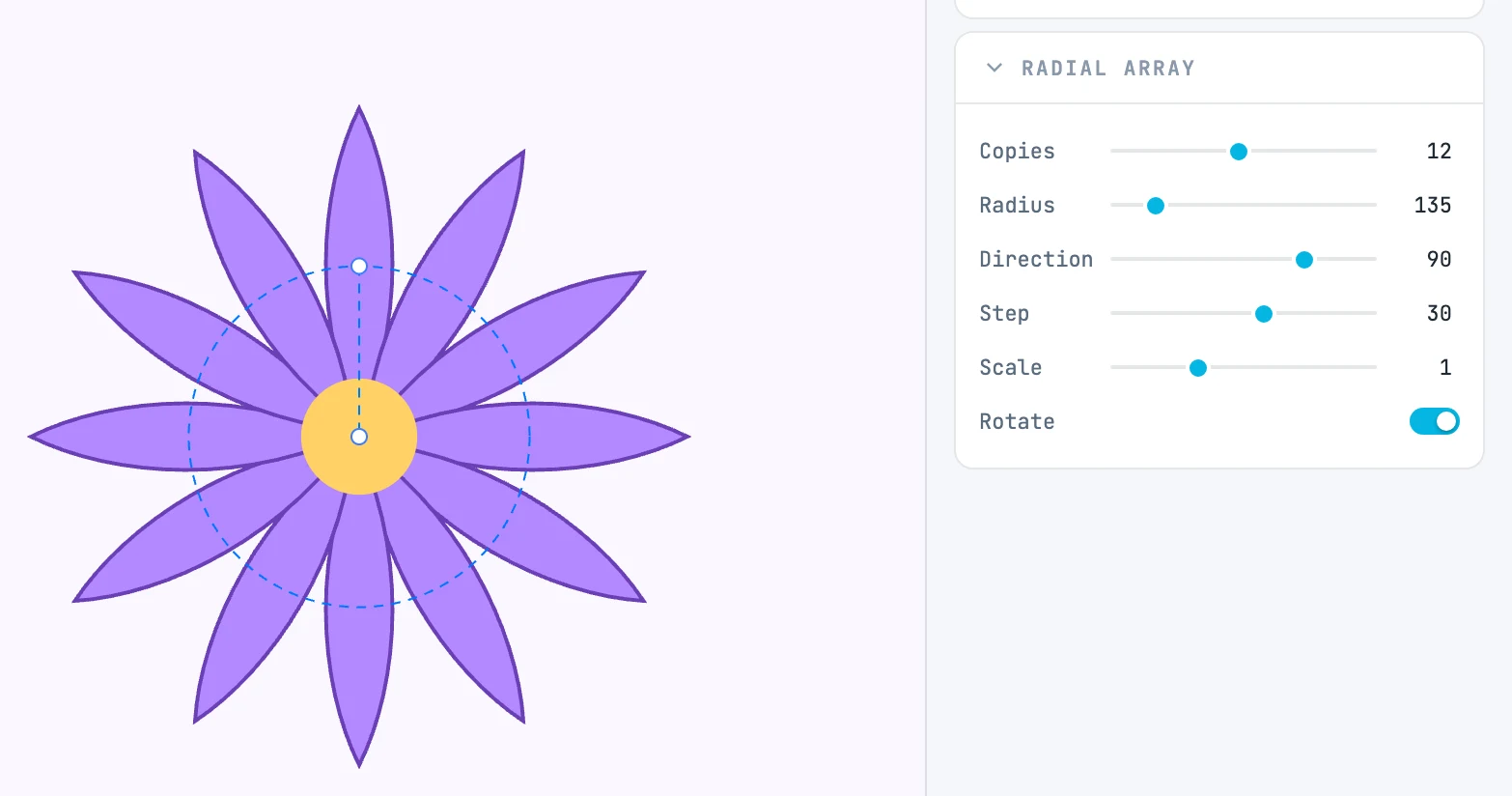
| Radial array | something selected | around a center: 6 copies at 60° are created, a closed ring |
| Path array | at least two objects, and the last one must have a length | at equal distances along the last object, the guide; 6 copies are created |
Copies range from 1 to 500. They are not separate objects: they are the source painted several times, and clicking a copy selects the array.
Changing mode
Choosing another item on an existing array changes its mode; it does not wrap a second array around it. The name and icon change; the values written by the previous mode are kept, and you find them again when you switch back.
The handles
| Mode | Handle |
|---|---|
| linear | a line from the center of the source to the center of the last copy: it is the run of the array |
| radial | a line from the center of the source to the center of the circle: it is the radius |
| along a path | no line: direction and distance are set by the guide, and you change them by editing it (you drag its points from outside) |
The parameters
In the Array panel (the header shows the mode):
| Field | What it does |
|---|---|
| Copies | how many copies |
| Rel X / Rel Y | linear: the offset per copy, in multiples of the source width and height |
| Gap X / Gap Y | linear: an extra offset, in units of measurement |
| Radius | radial: the distance of the center of the circle |
| Direction | radial: the direction in which the center of the circle lies, in degrees |
| Step | radial: the angle between one copy and the next |
| Rotation | linear and along a path: an extra rotation per copy |
| Scale | a scale per copy |
| Rotate | off, the copies stay upright |
| Follow | along a path: each copy turns to follow the direction of the guide |