
Text frames and columns
Point type, text with a width, text with a height
Three kinds of text
| Kind | How it is created | Lines |
|---|---|---|
| point type | click with the Type tool | a new line starts only with Enter |
| with a width | dragged frame, or a resized point type | wrap within the width |
| with a width and a height | dragging the top or bottom handle, or a corner, of a text with a width | fill the frame; what does not fit is not visible |
Resizing
- The right and left handles change only the width: the lines are rewrapped during the gesture.
- The top, bottom and corner handles also set the height.
- With Scale on resize on, the characters scale instead.
- When you scale a group that contains texts, size, leading and spacing scale too.
Columns
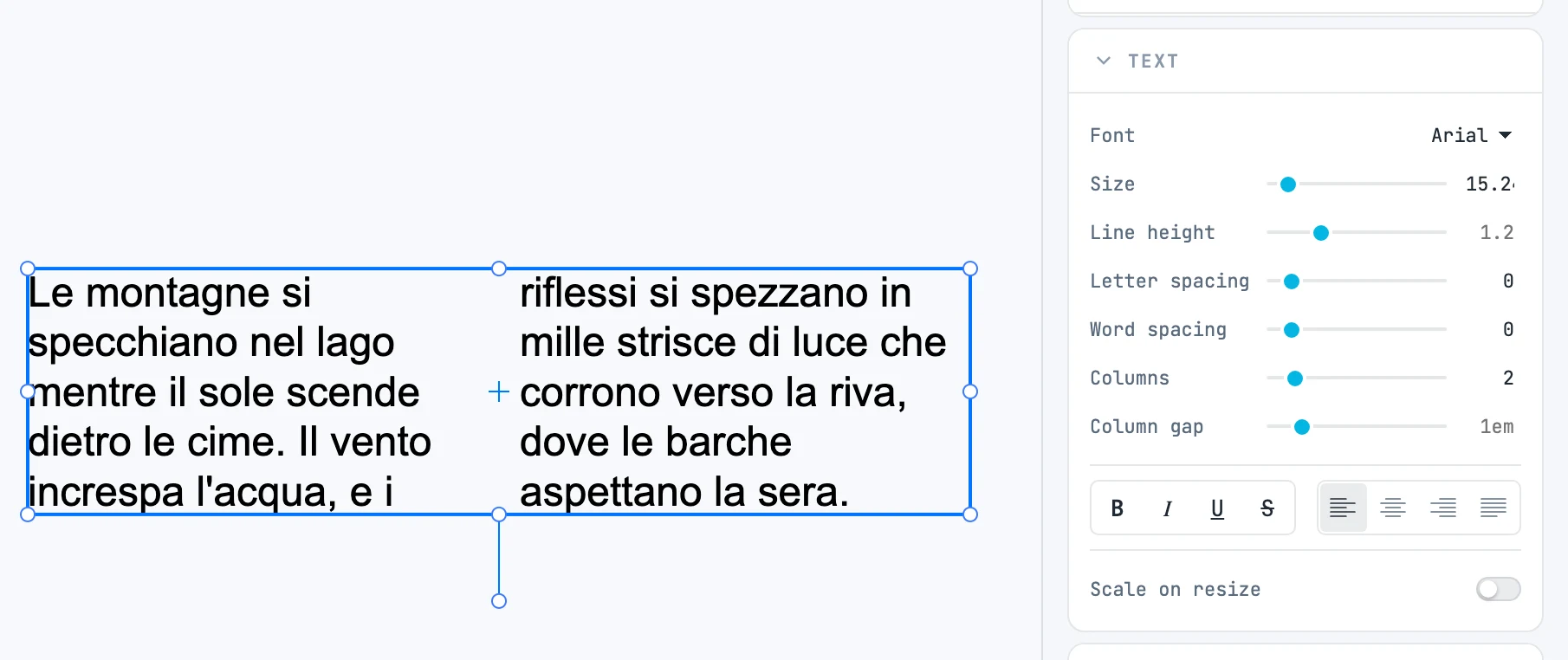
With Columns and Column gap in the Text panel, like the columns of a web page. Without a height, the lines are shared among the columns (the first one gets more); with a height, each column fills to the bottom before the next one. Point type has no columns.
Overset text
When the text does not all fit in a frame with a height, what is left out is neither painted nor exported, and a small red square with a + appears at the bottom of the right edge. From there you thread another frame: see Threaded text frames.