
Simplify and Convert to path
Fewer anchor points, and any shape as a path
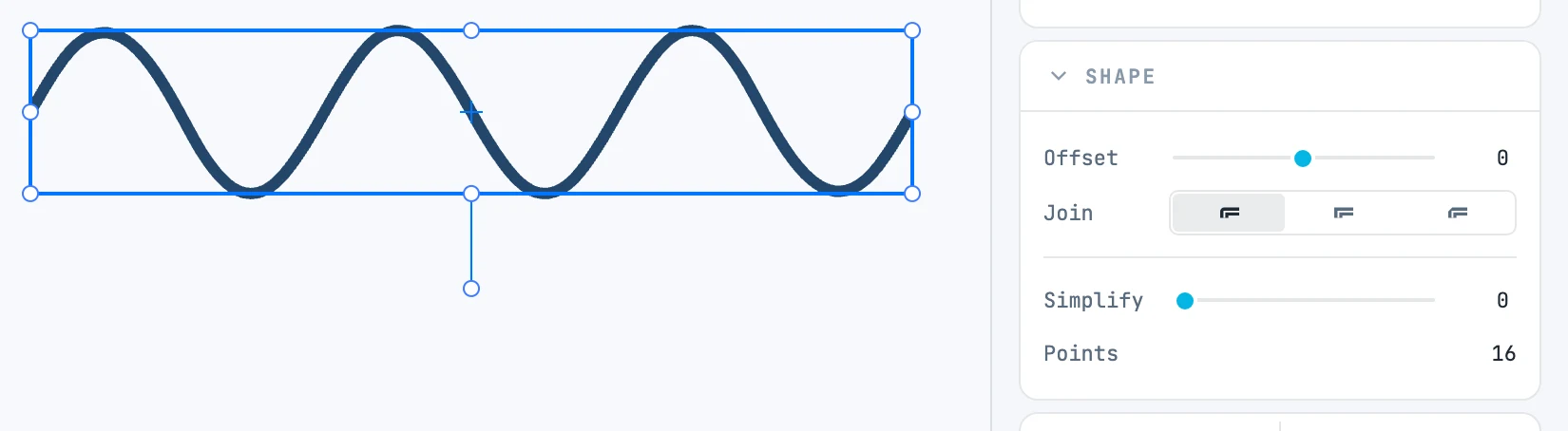
Simplify
At the bottom of the Shape panel of a path:
| Field | What it does |
|---|---|
| Simplify | the tolerance: how far the simplified path may deviate from the drawn one. The slider goes from zero to one twentieth of the object's diagonal |
| Points | how many anchor points the path has; while dragging Simplify, how many it had and how many it will have |
- While dragging you see the preview, always computed from the starting path.
- On release the simplification is written into the path, in one step, and the slider returns to zero: you can simplify again starting from the result.
- Corners sharper than 30° stay exact; a segment that does not get shorter stays as it was.
Convert to path
Right-click menu › Convert to path: whatever can describe its own outline becomes a path with that shape, in its place in the tree, with its appearance, its name and its matrix.
| Selected | What is created |
|---|---|
| rectangle, ellipse, circle, polygon, line, polyline | a path with the same outline, hole included |
| boolean, perspective, spine, array, brush stroke | a path with the result |
| path with Offset | a path with the actual outline, hole or frame included |
| text | a group with one path for each letter, each with its own appearance |
The original goes to the trash, along with its children. One undo step.
Text needs the font file: the Janvas library, the document's fonts (extracted from PDFs) or those installed on the computer. Text whose font cannot be found stays text.