
Dimensions
Linear, radius, angular — no shortcut letter
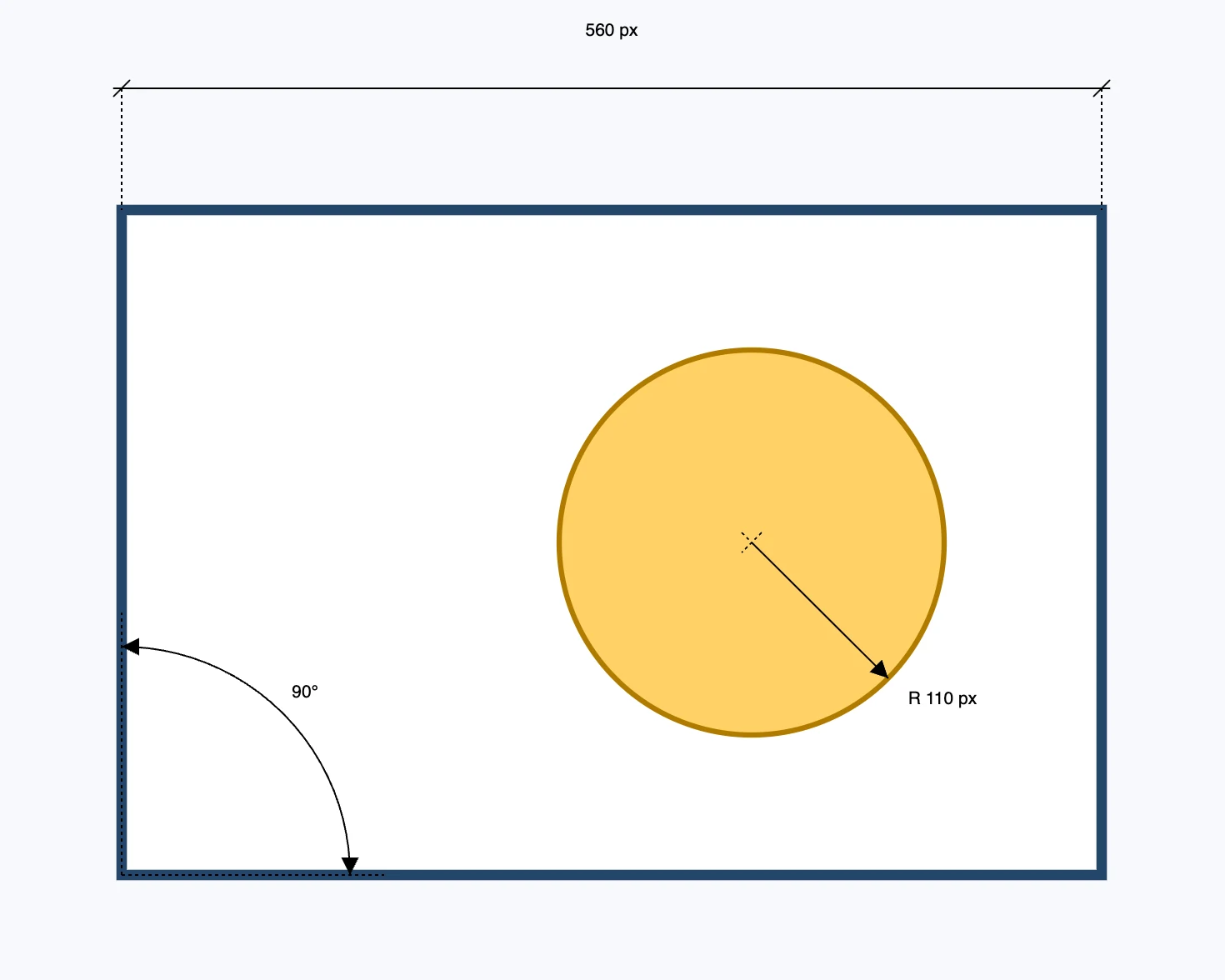
Three tools
| Tool | Points | Gesture |
|---|---|---|
| linear dimension | 3 | the two points to measure, then where the dimension line falls |
| radius dimension | 2 | the center, then a point on the edge; the text starts with "R" |
| angular dimension | 3 | the vertex, the first side, then you turn: the arc gesture in center and endpoints mode |
They have no letter: you pick them from the button. They do not select a circle already drawn: they work on points, and snapping takes you to the center of an arc by itself.
The linear dimension
- The third point also sets which dimension it is: in the middle half of the segment the dimension is aligned to the two points; to the side it measures vertically; above or below it measures horizontally.
- With three clicks you get all three dimensions without selecting a mode.
What is created
A dimension is not drawing geometry: it is a measurement written on top, and it is not a snapping target. The dimension writes the number itself in the project unit, and updates it if you drag the endpoints. Once the dimension is placed, the Selection tool comes back. You edit the endpoints with the Segment panel.