
Fonts
The library, the computer's fonts, the document's fonts
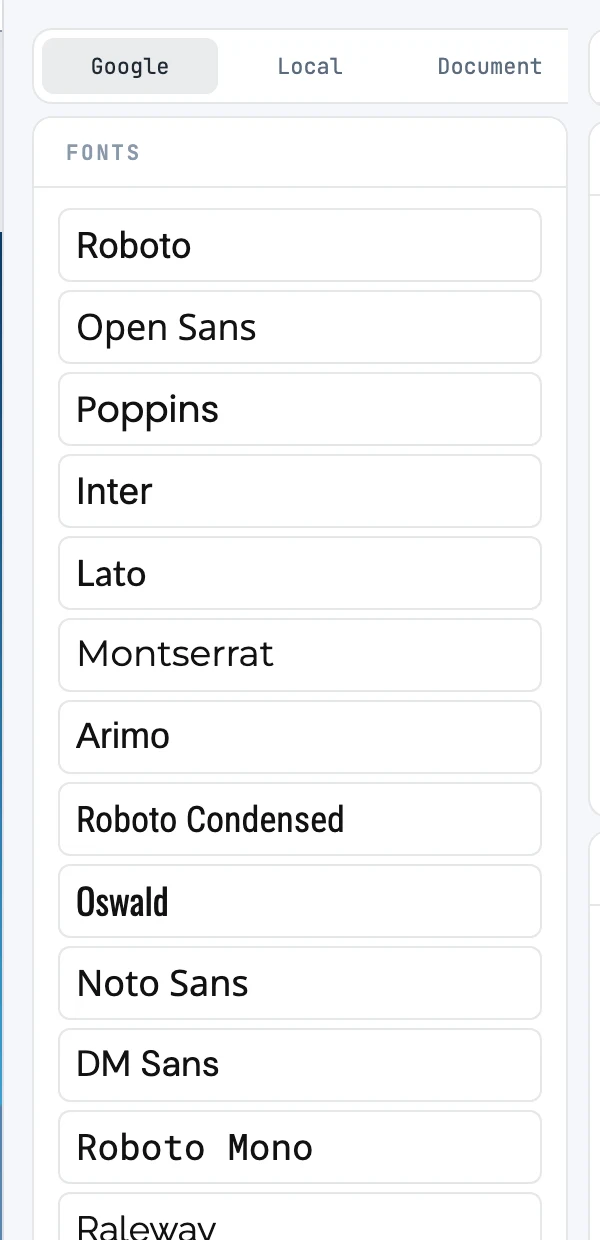
The Fonts panel
It opens from the resource bar. It is a list: one family per row, with its name set in the family itself. At the bottom, a bar with three sources:
| Source | What it lists |
|---|---|
| the Janvas library: twenty families downloaded once from Google Fonts and served by Janvas | |
| Local | the fonts installed on the computer. The first click asks the browser for permission |
| Document | the document fonts: those extracted from PDFs, and installed fonts that were packed into a .jaz package |
| Gesture | What it does |
|---|---|
| Click a family | applies it to the selected texts, in one step |
| Double-click, with nothing selected | selects the texts that already use it and frames them |
The library
The twenty families: Roboto, Open Sans, Poppins, Inter, Lato, Montserrat, Arimo, Roboto Condensed, Oswald, Noto Sans, DM Sans, Roboto Mono, Raleway, Playfair Display, Nunito Sans, Roboto Slab, Nunito, Rubik, Ubuntu, PT Sans. Latin and Latin Extended, up to four styles. Google is never contacted while you work: the files are on the Janvas server, and the browser downloads only the pieces it needs.
A missing font
When you open a document, the text families load from the library; those that nobody has — neither the library nor the system — are counted as missing, and the text is drawn with the fallback font.
Fonts in files
- The
.jacarries the document fonts (those from PDFs). - The
.jazcan also carry the installed fonts used by the texts (Local fonts option). - The exported SVG always carries the document fonts, and optionally the library fonts and the installed ones. See Exporting SVG.