
Inspectors
The property panels, in the right-hand column

They appear and disappear depending on what is selected: you only see the ones that have something to say.
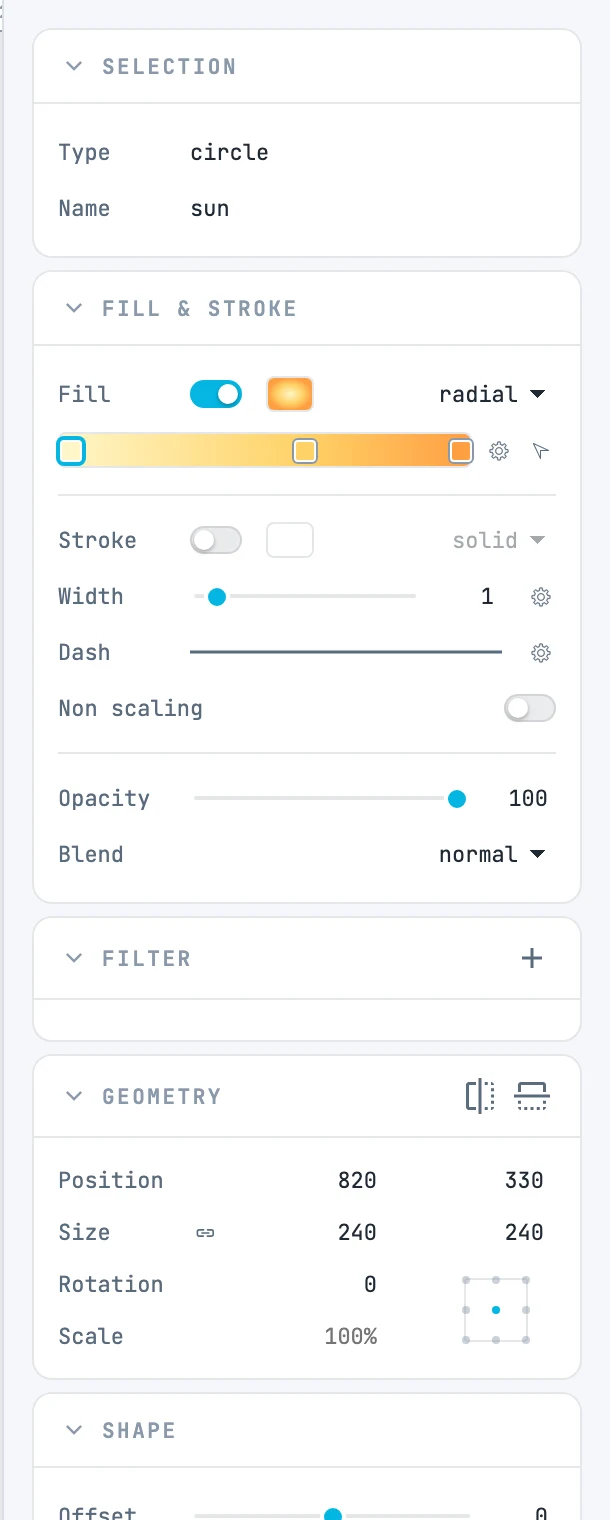
The sun selected and the column of inspectors that appear for it: Selection, Fill & stroke, Filter, Geometry, Shape
9.1.1

Project panel

With nothing selected.
9.1.2

Page panel

With a page selected, and with nothing selected for the active page.
9.1.3

Selection panel

With something selected.
9.1.4

Geometry panel

With any selection that has a bounding box.
9.1.5

Segment panel

With a line or a dimension selected: objects you reshape from their ends instead of from a bounding box.
9.1.6

Point panel

In the anchor point mode of a path, with a single point selected.
9.1.7

Shape panel

With a shape that has properties of its own.
9.1.8

Spine panel

With a spine, a brush stroke, type on a path or area type.
9.1.9

Array panel

With an array selected.
9.1.10

Text panel

With a text selected, or with a text open for editing.
9.1.11

Fill & stroke panel

With shapes, paths, texts, groups, images and pages: shows the object in focus and writes to all of them.
9.1.12

Filter panel

With drawable objects selected, pages excluded.
9.1.13

Markers panel

With a path, a line, a polyline or a polygon selected.
9.1.14

Marker panel

Inside a marker (double-click its cell in the Markers resource panel).
9.1.15

Use panel

With a use selected: the symbol it shows.
9.1.16

Tween panel

With a tween selected in the timeline.
9.1.17

Photo grid panel

With a photo grid selected, or a photo inside the grid.