
Filters
Shadow, blur and the rest, in a chain
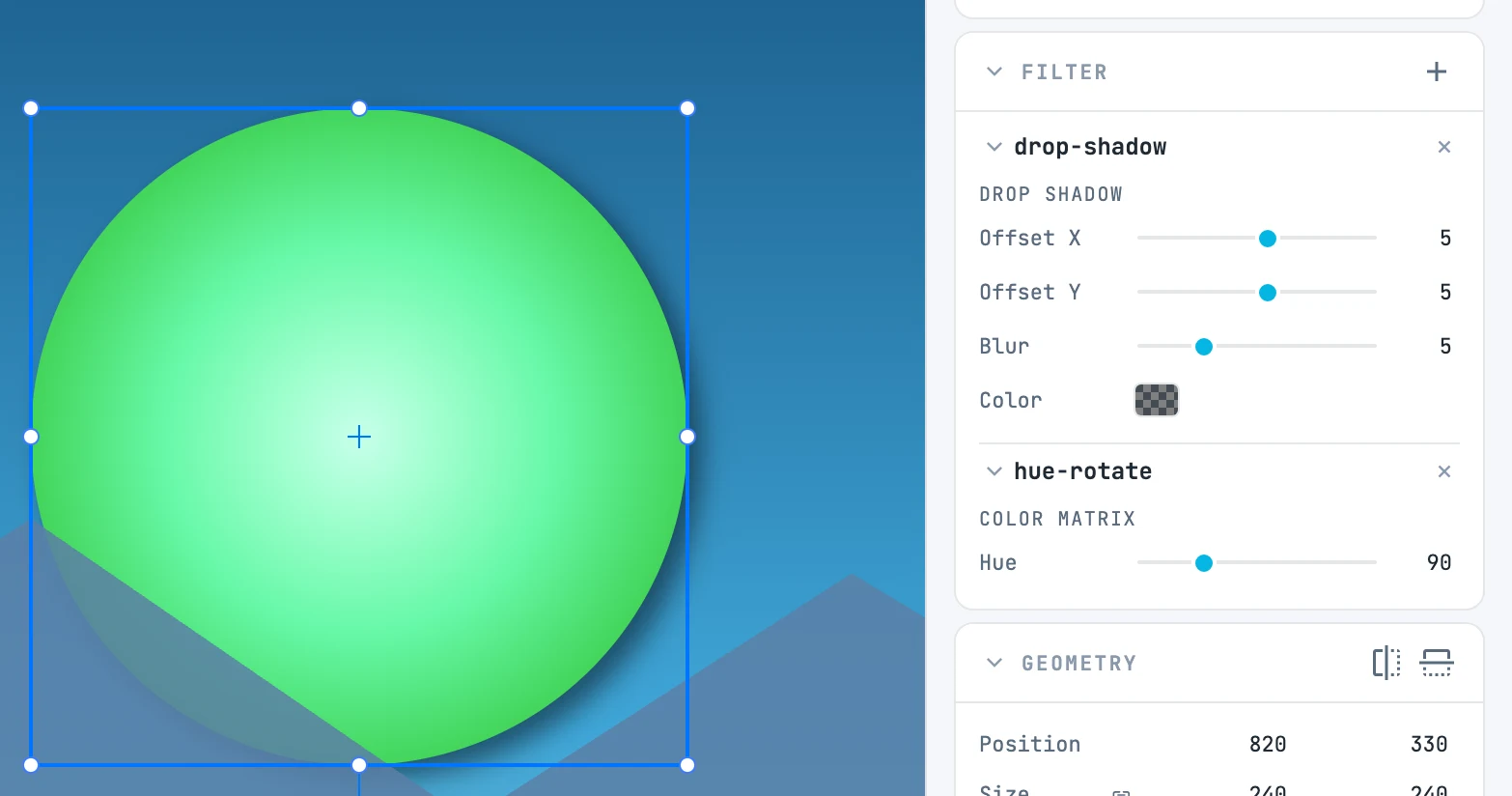
The Filter panel
Below Fill & stroke, for every object that draws (shapes, groups, texts, images), not for pages. It shows the filters of the object in focus, in a chain: they apply one after another, and the order matters — a shadow followed by black and white is not black and white followed by a shadow.
Adding
The + in the header opens the ready-made filters; the one you choose is created in the document and appended to the filters of all selected objects, in one step:
| Item | What it does | Starting value |
|---|---|---|
| Drop shadow | a drop shadow | offset 5 · 5, blur 5, black at 50% |
| Blur | blurs | 2 |
| Grayscale | black and white | saturation 0 |
| Sepia | sepia | the sepia matrix |
| Invert | negative | — |
| Brightness | brightness | 1.5 |
| Contrast | contrast | 1.5 |
| Saturate | saturation | 2 |
| Hue rotate | rotates the hue | 90° |
At the bottom of the menu, the In this document submenu lists the filters the document already has: it is how you reuse a filter. An item is disabled if all the selected objects already have it.
The chain
| Gesture | What it does |
|---|---|
| Arrow in a filter's header | expands and collapses its parameters (it stays that way even after an edit) |
| × of a filter | removes it from all selected objects; if nothing uses it anymore it goes to the trash, in the same step |
| Drag a filter's header | reorders it: an accent line shows where it will land |
Parameters
Below each filter's header, one row per value of each of its primitives: numbers with a slider and a box (in the box you can also type beyond the slider range), text for matrices and tables, menus for operators and modes, a swatch for a color. Empty means the default value.
- You edit the filter: it changes for every object that uses it.
- A dragged slider is one single step.
- In transfer functions that are identical for red, green and blue there is a single "RGB" row.
Which filters are rendered
Gaussian blur, offset, drop shadow, flood, composite, merge, blend, color matrix, component transfer, dilate and erode. A filter with other primitives (noise, for example) counts as unsupported, and the object is rendered without it.