
Rulers and origin
Where measurements are counted from
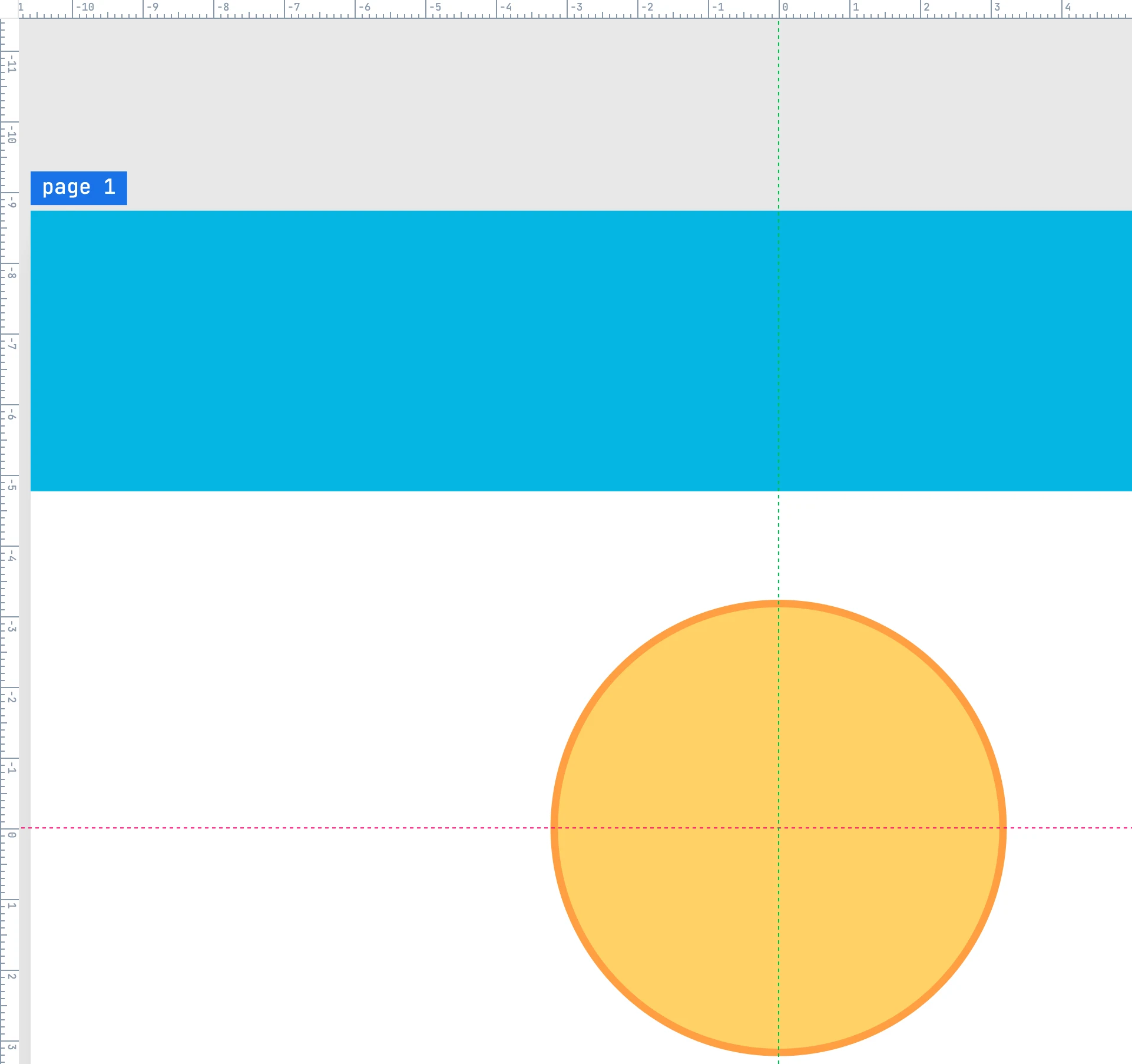
The rulers
Along the top and left edges of the canvas. They measure in the project unit starting from the origin of the active page, and change their increments with the zoom. Without pages they measure from the drawing origin.
The page origin
Every page has an origin: the point from which the rulers and the positions in the Geometry, Point, and Segment panels are measured. By default it is the top-left corner of the sheet.
- To move it: drag the small square in the corner between the two rulers and drop it where you want. The point snaps (a vertex, a center), and near the page corner it goes back to zero. It is one undo step.
- To type it: in the Page panel, Origin row, X and Y from the page corner.
- To see it: Show origin in the Project panel shows the cross (X pink, Y green); on the page corner the cross is not drawn.
Lengths — widths, heights, radii — do not depend on the origin; only positions do.