
The document
Project, pages, units, scale
A document is a tree of nodes. At the top is the project, with its properties; inside, the drawing with its pages and the resources (gradients, patterns, symbols, markers, filters).
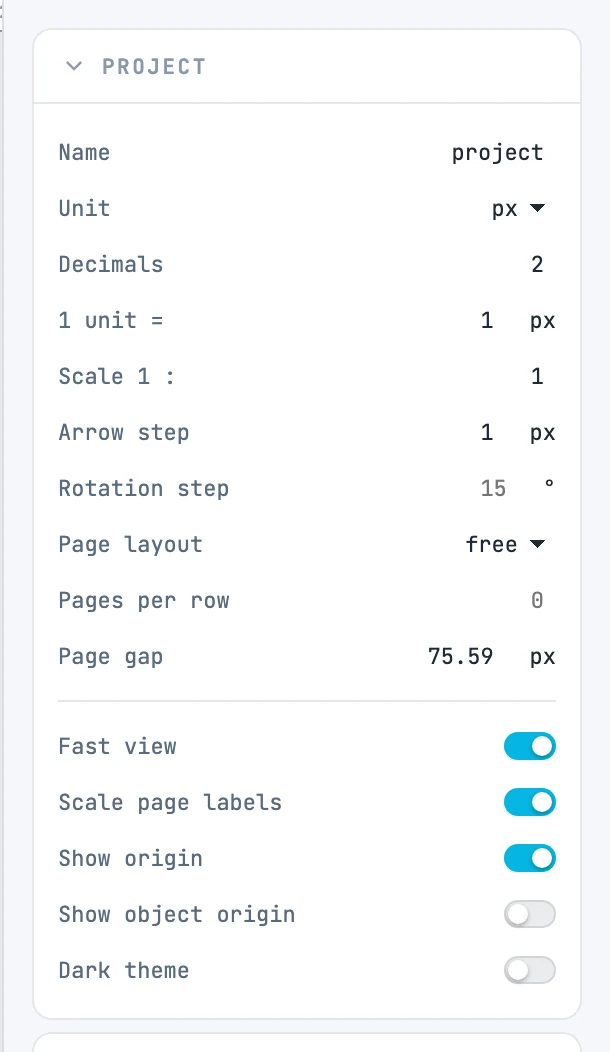
A new document
A new document starts like this:
- one drawing unit equals one CSS pixel (1 unit = 0.0265 cm, that is 2.54 / 96);
- measurements are shown in millimeters;
- there is one A4 portrait page (210 × 297 mm), and the view fits it;
- pages are in rows (Page layout = rows).
The drawing can sit inside the pages or next to them: a page is a sheet that can clip what it contains.
Unit and unit value
Two different things, in the Project panel:
- Unit is the unit in which measurements are shown in the panels and on the rulers: mm, cm, m, inch, ft, px, pt.
- 1 unit = states the real length of one drawing unit. When you change Unit in the panel, this value is rewritten in the new unit: the drawing does not change.
Decimals is the number of decimal places used to show measurements.
Scale
Scale 1 : is the denominator of the scale (50 means 1:50). Measurements ignore it: it changes the paper, that is, how the drawing comes out when printed. View at scale in the View menu shows the screen as the paper, at 96 pixels per inch.
Steps
- Arrow step: how far the arrow keys move the selection, in the project unit. By default a round number in that unit (0.1 cm, 1 mm, 1 px…). With ⇧, ten times as much.
- Rotation step: the rotation increment with ⇧ and with ⌥ + arrow keys, in degrees; 15 by default.
Units, decimals, scale, and steps belong to the document: they enter the history and are saved with it.
Copy between documents
The clipboard also carries the length of one unit: when you paste into a document with different units, the object keeps its length and its distance from the origin.
Unsaved changes
The document counts as changed when the history is not where it was at opening or at the last save. When you close the window the browser asks for confirmation; when you open another file in the same window, Janvas asks.