
Spine panel
With a spine, a brush stroke, type on a path or area type
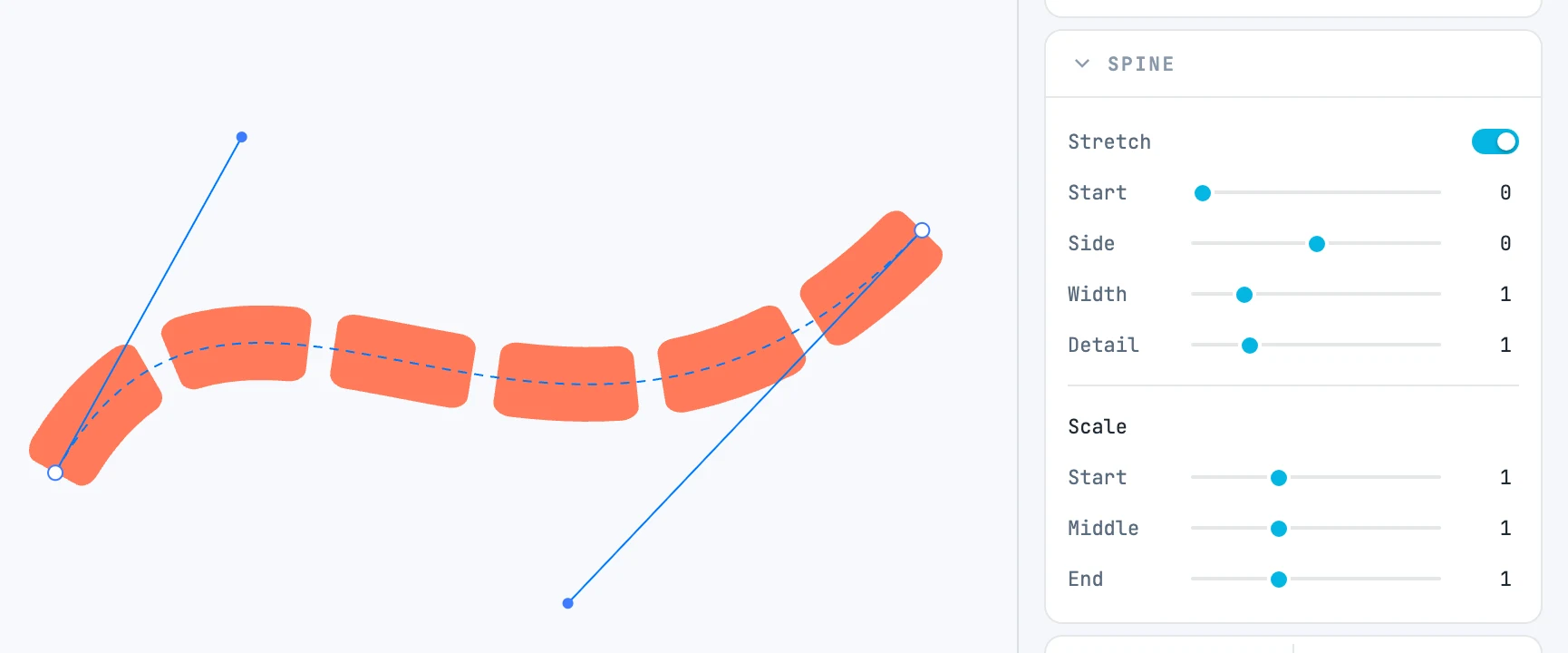
When it appears
With a spine, a brush stroke, type on a path or area type. The header tells you which.
Fields
| Field | What it does |
|---|---|
| Stretch | spine and type on a path: cover the whole line |
| Start | where it starts on the line, as a fraction |
| Thickness | brush: the stroke thickness |
| Side | to the side of the line |
| Width | spine and type on a path: the width across |
| Head / Tail | brush: head and tail |
| Repeat | brush: the middle repeats instead of stretching |
| Join | brush: touching pieces form a single outline |
| Detail | spine and brush: how fine the pieces are along the curve |
| Scale · Start / Middle / End | the cross scale at three stops along the line |
| Inset | area type: the margin from the outline |
Which rows
| Header | Rows |
|---|---|
| Spine | Stretch, Start, Side, Width, Detail, Scale |
| Brush | Thickness, Head, Tail, Repeat, Join, Side, Detail, Scale |
| Text on path | Stretch, Start, Side, Width, Scale |
| Text in shape | Inset |