
Introduction
What Janvas is, how the window is laid out, how you work

Janvas is a 2D graphics editor that runs in the browser, designed for illustrators, architects and interior designers. It draws on a canvas, opens and writes its own documents as well as SVG, PDF, and DXF, prints to scale, and animates. This section explains how the window is laid out and the rules that apply to every tool.
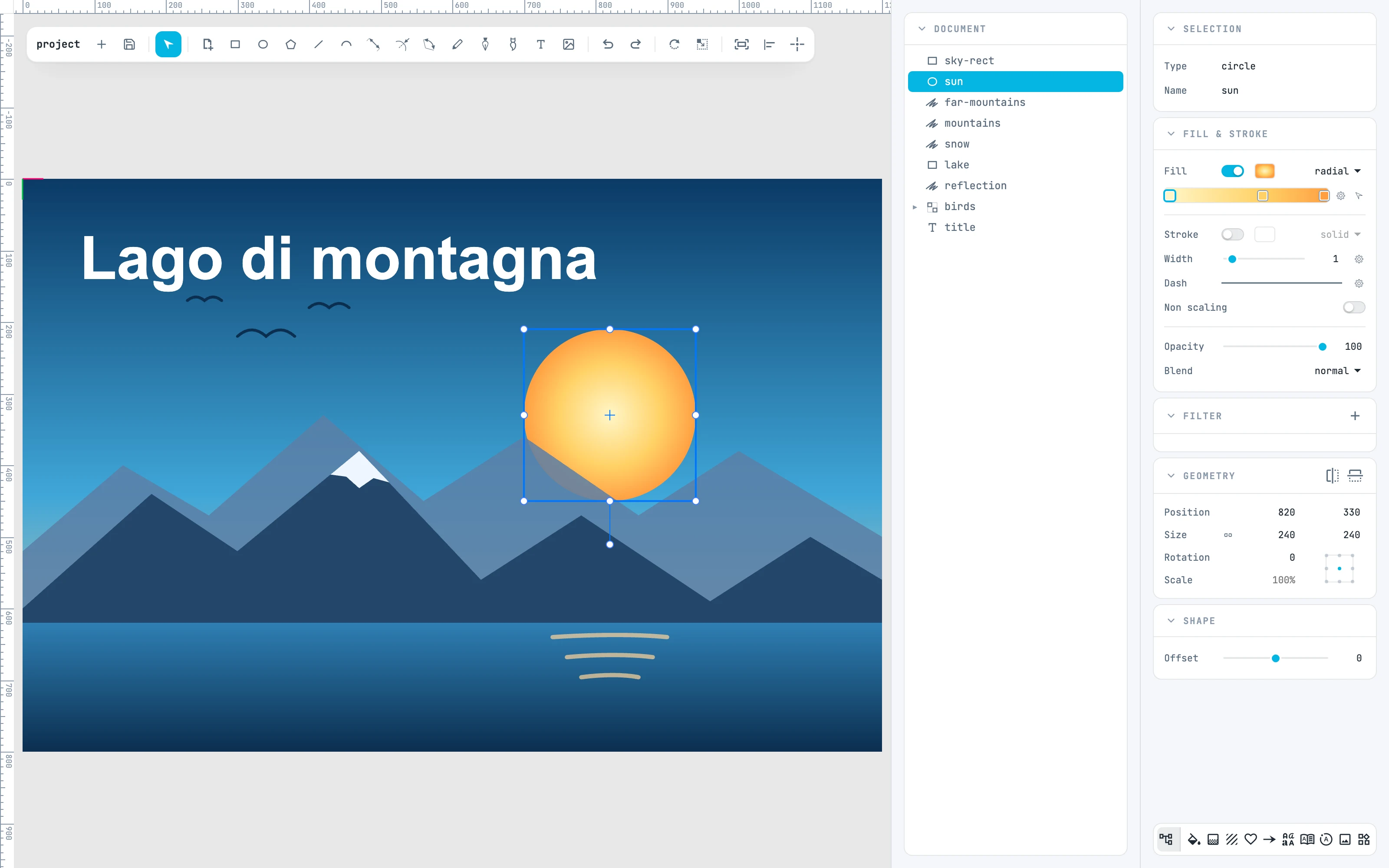
The editor with a landscape open: the toolbar, the Document tree, and the inspectors of the selected sun
1.1

What is Janvas

What it does, what it opens, what it writes.
1.2

Install the app

The installable app from Chrome and Edge, and opening documents from the Finder.
1.3

The interface

How the editor window is laid out, part by part.
1.4

Using panels

How panels behave in a column, floating, as resource panels, and in the footer.
1.5

The document

How a document is structured, and what units, decimals, scale, and steps mean.
1.6

The two ways of every gesture

Drag or click twice, with SHIFT as the only constraint.
1.7

Undo and redo

What a step is, how the selection behaves, the special cases.
1.8

The player

The page that shows a document, with pan, zoom, and fit.